

Mobile App & Ai Assistant
As Director of UX/UI, the design team set the vision and led the strategy for Streams—guiding the team in shaping its core experience while elevating the BoldTrail brand’s mobile presence.
Streams is the mobile companion to BoldTrail, a feature-rich CRM built for real estate agents and brokerages.
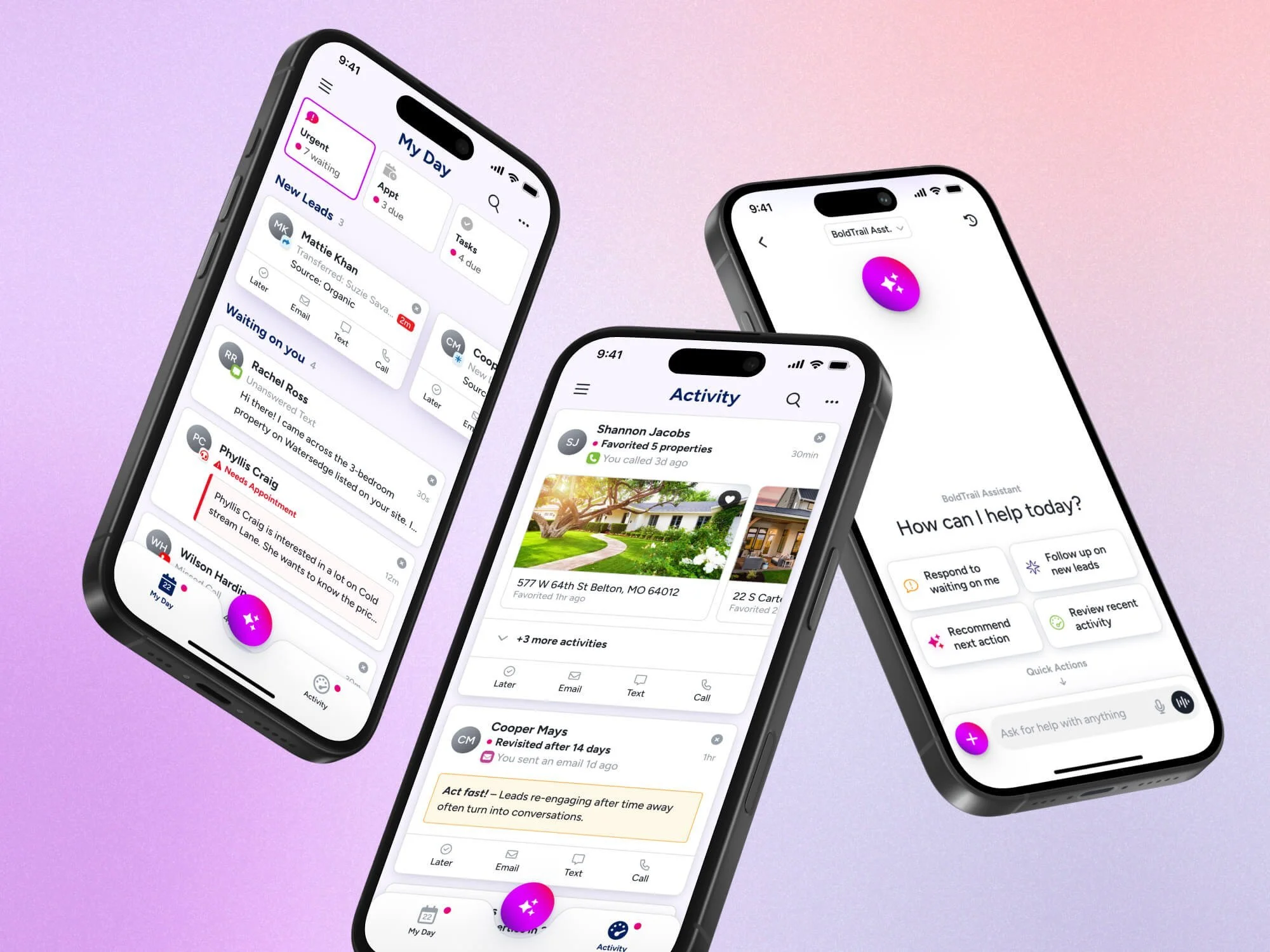
Designed as a streamlined, AI-powered experience, the app helps agents stay focused on what matters most—surfacing timely tasks, conversations, and insights so they can move efficiently throughout their day.
Team Leads
Director of Product - George Mountis
Director of UX/UI - Josh Campbell
Lead UX/UI - Designer - Zach Spanton
Development Manager - Andrew Hartnett
Engineering Managers - Jared Davis, Justin Wells
Product Manager - Rita Santos
Complexity and distraction in all the wrong places
Through conversations with agents, a consistent theme emerged: they didn’t know what to focus on each day. Despite having access to powerful systems, their workflows were fragmented across CRMs, email, social platforms, and task lists. Instead of enabling productivity, this ecosystem created noise, decision fatigue, and missed opportunities.
The existing BoldTrail mobile app only amplified the issue. It attempted to replicate the full desktop CRM experience on mobile, resulting in a cluttered interface, performance issues, and low adoption. Rather than simplifying an agent’s day, it introduced more friction.
It became clear that incremental improvements wouldn’t solve the problem.
The team aligned on a fundamental shift: agents didn’t need more features—they needed focus.
Focusing on primary workflows only
We started by identifying the core workflows agents rely on most when they’re on the go.
From there, we explored a cleaner UI and mapped a few different directions for organizing the information architecture—setting us up for user validation.
User sentiment was positive, with particular interest in an AI assistant
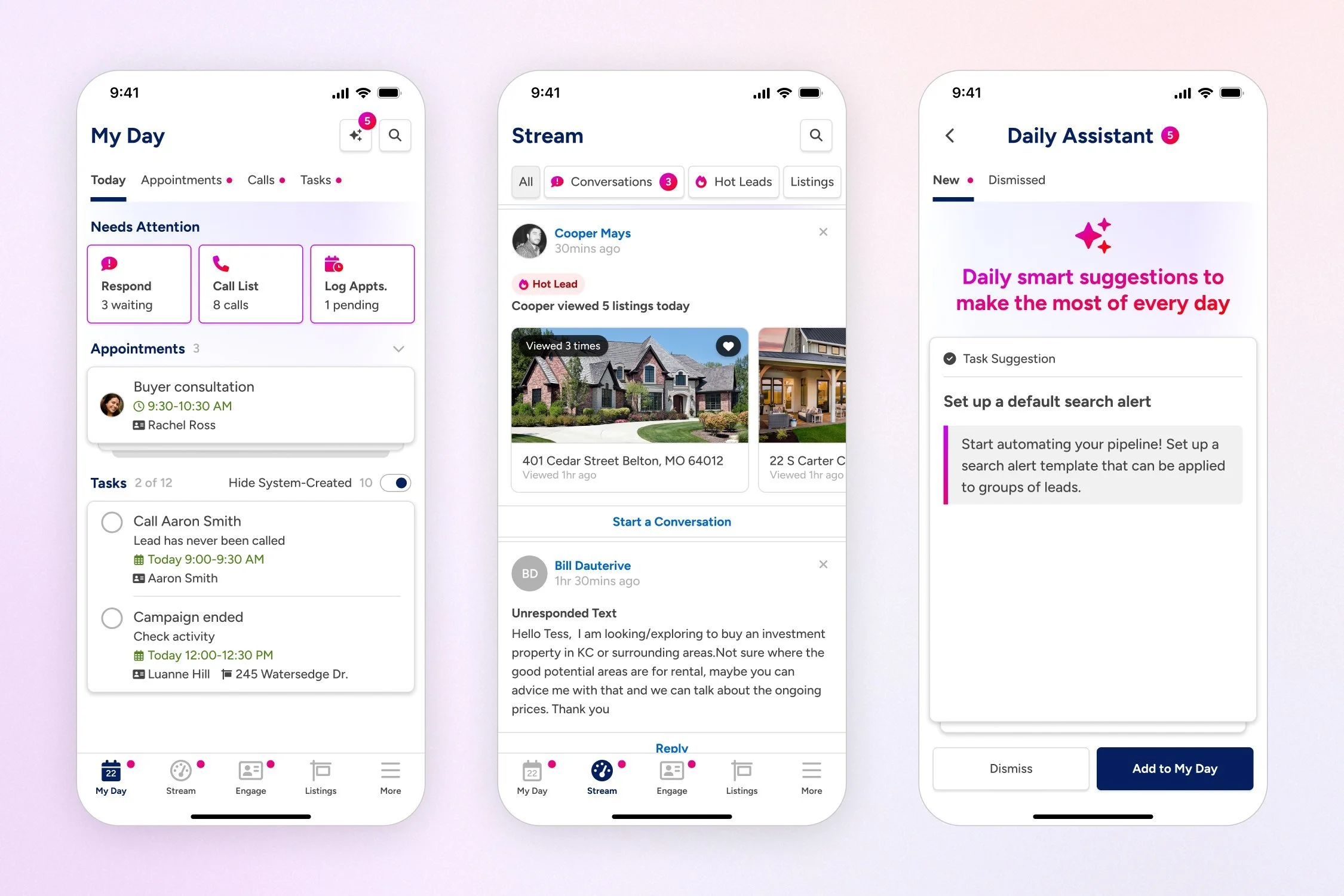
In testing with real agents from our user base, we saw strong validation around a more focused, streamlined experience.
We walked away with clear direction for the final information architecture—and a lot of excitement around the idea of an AI assistant that can surface what to work on next based on real data.
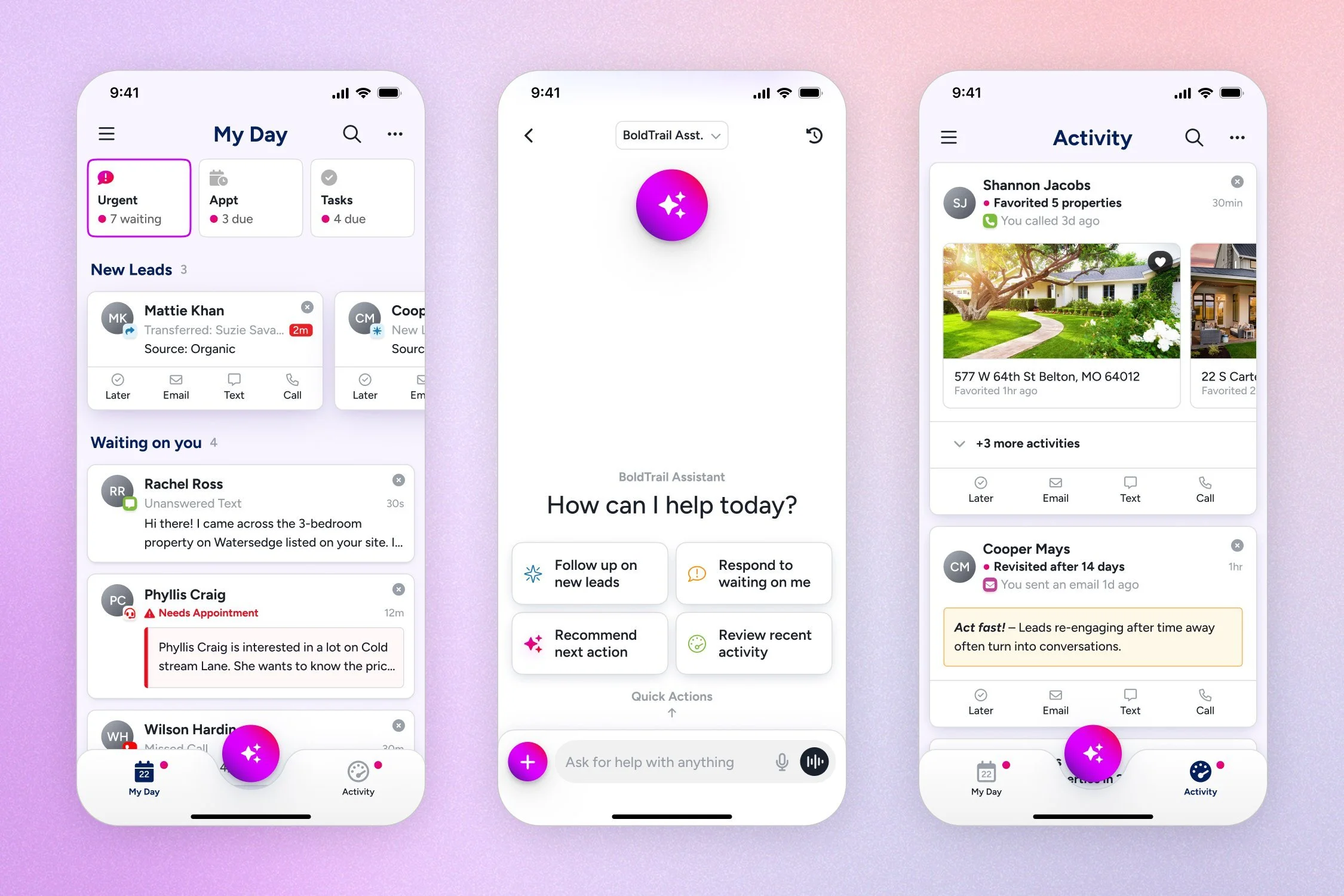
3 areas to manage your day and be proactive
In My Day, agents get a clear view of what’s waiting on them—new leads, messages, and today’s appointments and tasks.
Activity highlights high-intent signals from contacts that could turn into real conversations.
And the AI assistant acts as an on-the-go partner—guiding next steps, drafting messages, and helping agents move faster.
Just a few weeks after GA, the app was already rated 4.5 stars—a big jump from the legacy app’s 1.4.
The Powerhouse
The Ai Assistant makes on-the-go workflows even faster.
After GA, the focus shifted to expanding how the AI assistant could create even more value—saving agents time and helping them take smarter actions in the small moments between everything else they have going on.
Recorded calls with automated follow-up actions
Calls are automatically summarized and added to the contact record. Then, the AI assistant recommends and completes follow-up actions based on the call context.
Blazing fast follow-ups for every channel
The AI assistant helps busy agents respond to messages quickly and schedule follow-up actions easily.
The conversation flywheel
Once an agent’s inbox is cleared, their assistant offers ways it can help you with the right activities to get more conversations started, and ultimately, close more deals.